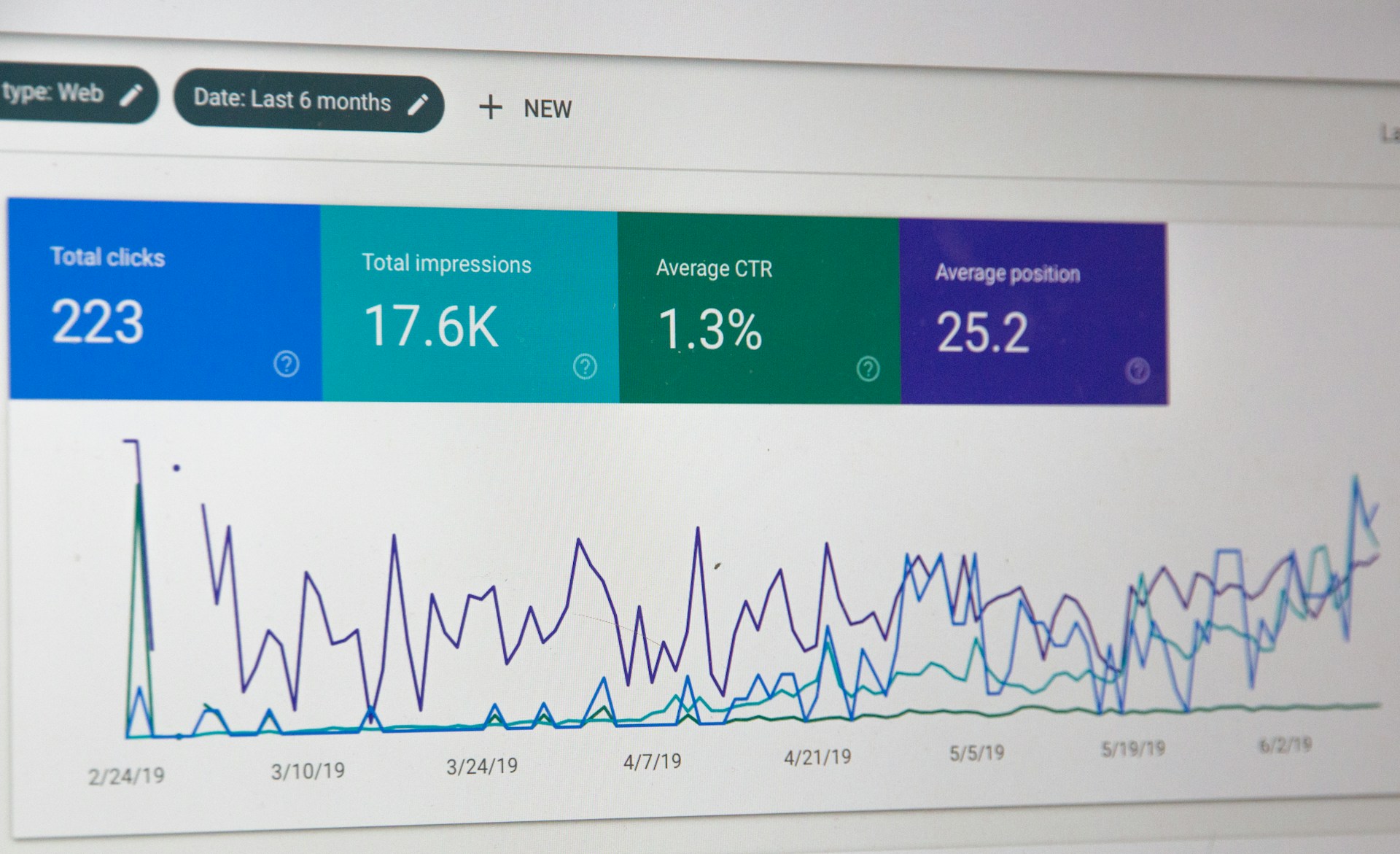

Google Analytics 4 (GA4) is essential for any Brisbane business serious about improving its local SEO. Whether you’re running a café in West End or a boutique in New Farm, being able to understand how customers interact with your website gives you a significant edge. GA4 isn’t just another analytics upgrade. It’s a new platform built with future-ready tracking and insights in mind.
For Brisbane businesses, staying competitive means recognising rising online trends and getting onboard early. GA4 helps make that possible by delivering real-time behavioural data, helping you see what’s resonating with your audience. This leads to smarter strategies and marketing decisions. With data that goes beyond clicks and pageviews, GA4 paints a clear picture of the customer journey. Businesses can use this knowledge to improve engagement, drive conversions, and increase their visibility in local search results.
And the best part? GA4 is free! The free version is powerful and has everything local businesses would need. For large-scale enterprise applications, there is the option to subscribe to Google Analytics 360 (GA360) for higher limits and other advanced features.
Intro to Google Analytics 4
GA4 breaks away from the traditional structure found in Google’s previous generation solution Universal Analytics. GA4’s focus on event-based tracking allows businesses to understand not just whether users visited a page but what they did there. Every interaction is treated as an individual event, from clicks and form submissions to video plays and scroll activity. This richer data model makes it easier to customise your measurement strategy based on what matters most to your business.
Another major change is GA4’s cross-device tracking. With more people accessing websites through mobiles and tablets, understanding user behaviour across devices is valuable. GA4 links this data through user IDs for a more consistent view of customer interactions. This means businesses can see if customers are searching on a phone but later converting on a laptop, offering deeper insight into how people move through the buying process.
GA4 also introduces predictive metrics. For example, it can estimate the likelihood of a user making a purchase. This empowers businesses to act ahead of time, possibly with targeted remarketing campaigns that encourage conversion before a potential lead moves on. Fully leveraging the power of this free analytics platform can help you get an edge in the Brisbane market by catching opportunities that make a real difference to your bottom line.
Setting Up GA4 for Local SEO
To make the most of GA4 for local SEO, businesses need to ensure they get the setup right. First, create a new GA4 property within your existing Google Analytics account or during a fresh setup. Then, install the GA4 tracking code on your website, typically placed via Google Tag Manager, or manually in the site’s codebase.
Once installed, setting up data streams is your next step. A data stream is the flow of data from your website or app to your GA4 property. For most small-to-medium businesses, one web data stream is enough. GA4 comes pre-configured to capture essential events like pageviews, scrolls, clicks, and video activity.
Local businesses should also consider setting up custom events. If you own a dental practice in Fortitude Valley, for example, you might create an event to track when someone fills out a booking form. Or if you’re a Northside-based tradesperson, capturing when users request a quote is an important local SEO indicator. Tailoring your events enables targeted insights that feed directly into your business goals.
Enhanced measurement features like internal search tracking, outbound link clicks, and file downloads can also be activated during setup. These details are vital for assessing how users interact with your site and what leads them to convert. With W3Techs reporting that Google Analytics has a traffic analysis tool market share of 79.7% as of October 2025, GA4 is a powerful marketing platform that businesses can’t afford to ignore.
Make the Most of Marketing Campaigns with GA4
Monitoring the success of marketing efforts in a meaningful way takes the right tools, and UTM parameters are one of the most straightforward ways to do it. These small tags added to URLs tell GA4 exactly where the visitor came from, helping you evaluate the impact of different campaigns.
For example, if you’re promoting a special event through Facebook or email, create a unique UTM-tagged link for each source. Break your link down into:
- Source: Identifies the origin of traffic, such as Facebook, Google, or a newsletter.
- Medium: Describes how the user arrived, like social networks or email.
- Campaign: Labels the promotion, for instance, Winter_Offer_2024.
When someone clicks on a UTM-tagged link, GA4 records all the details. You’ll be able to see which sources drove the most traffic, how users from each campaign behaved, and which one delivered the best results. Tracking in this way helps reallocate budget and effort to campaigns that work, while adjusting or dropping the ones that don’t.
Measuring Conversions and User Actions in GA4
Conversions are critical for understanding whether your website does its job. A conversion could be any meaningful action, from buying a product to contacting your business. In GA4, every conversion starts as an event. When setting up GA4, decide which user actions count as conversions.
To mark an event as a conversion:
- Go to the Admin section of GA4.
- Click on Events under the property where you’d like to track conversions.
- Find the relevant event or create a new one.
- Use the toggle to mark it as a conversion.
By tracking conversions, you get insights on which parts of your site contribute to business goals. Over time, this helps reveal patterns such as which page visitors often convert from or which digital campaign has the best conversion rate. When you follow up on these findings, it becomes easier to fine-tune both messaging and user experience around what works, setting you on a path to growth.
For example, for a plumber in the Brisbane suburbs, tracking conversions helps you identify which pages lead to quote requests or call bookings. This allows you to optimise those successful pages and replicate that success throughout your site.
Reporting and Analysing Data in GA4
GA4 reports are designed to make analysis simpler and more insightful. One of the first reports you should check is the Traffic Acquisition report. This shows where your visitors come from, helping pinpoint which channels deserve more attention. From there, see how these users engage once on-site, revealing which platforms bring in not just traffic but quality leads.
The Demographic Details report gives useful location insights. For Brisbane-based services, this can highlight how well your marketing targets your desired suburbs. If most of your traffic comes from Woolloongabba when you’re aiming for Chermside, that’s a cue to adjust your paid targeting or improve your local listing content.
Another useful view is the Events report. Here, you’ll see how often key user actions occur. If you spot an increase in appointment bookings or file downloads, that tells you your recent campaign or content tweak made an impact.
Longer-term trends recorded in conversion comparison reports can signal shifts in customer behaviour. Maybe users are taking longer to convert, or they’re coming through Facebook instead of organic search. Recognising trends like these helps you act strategically with a data-backed approach.
Innovative Local SEO Strategy Starts with GA4
Using GA4 to boost local SEO in Brisbane isn’t just smart, it’s increasingly necessary. The ability to track and decode user behaviour in real time lets you optimise for conversions. From understanding where your audience comes from to identifying what drives them towards conversion, GA4 offers a detailed look at your digital performance.
By setting the right foundation, accurately configuring your data, and consistently reviewing insights, your efforts can translate into greater local visibility and growth. For Brisbane businesses competing in an increasingly data-savvy market, fully leveraging GA4 is a strategic play that will help you stand out from the pack.
Elevate your local presence with GA4 and drive more meaningful results. At Your Digital Solution, we specialise in enhancing your online strategy through tailored approaches like search engine optimisation in Brisbane. Connect with us to explore how you can optimise your GA4 setup and harness its data insights for greater campaign impact. Let’s work together to unlock your digital potential and achieve sustained growth.
FAQ
Q: How can I verify my GA4 setup is correctly tracking data?
A: Visit the Realtime report. This section validates active data flow and ensures the correct capture of events and conversions.
Q: Is it possible to use GA4 alongside other analytics tools?
A: GA4 can complement other tools. Just ensure consistency across all platforms to maintain accurate data analysis.
Q: Do I need technical expertise to configure advanced events in GA4?
A: While basic setup needs no developer help, complex custom events might benefit from technical and marketing expertise.
Q: Why isn’t my GA4 data matching with other analytics tools?
A: Differences in tracking methodology or timing can lead to discrepancies between tool reports.